


Product-page checking
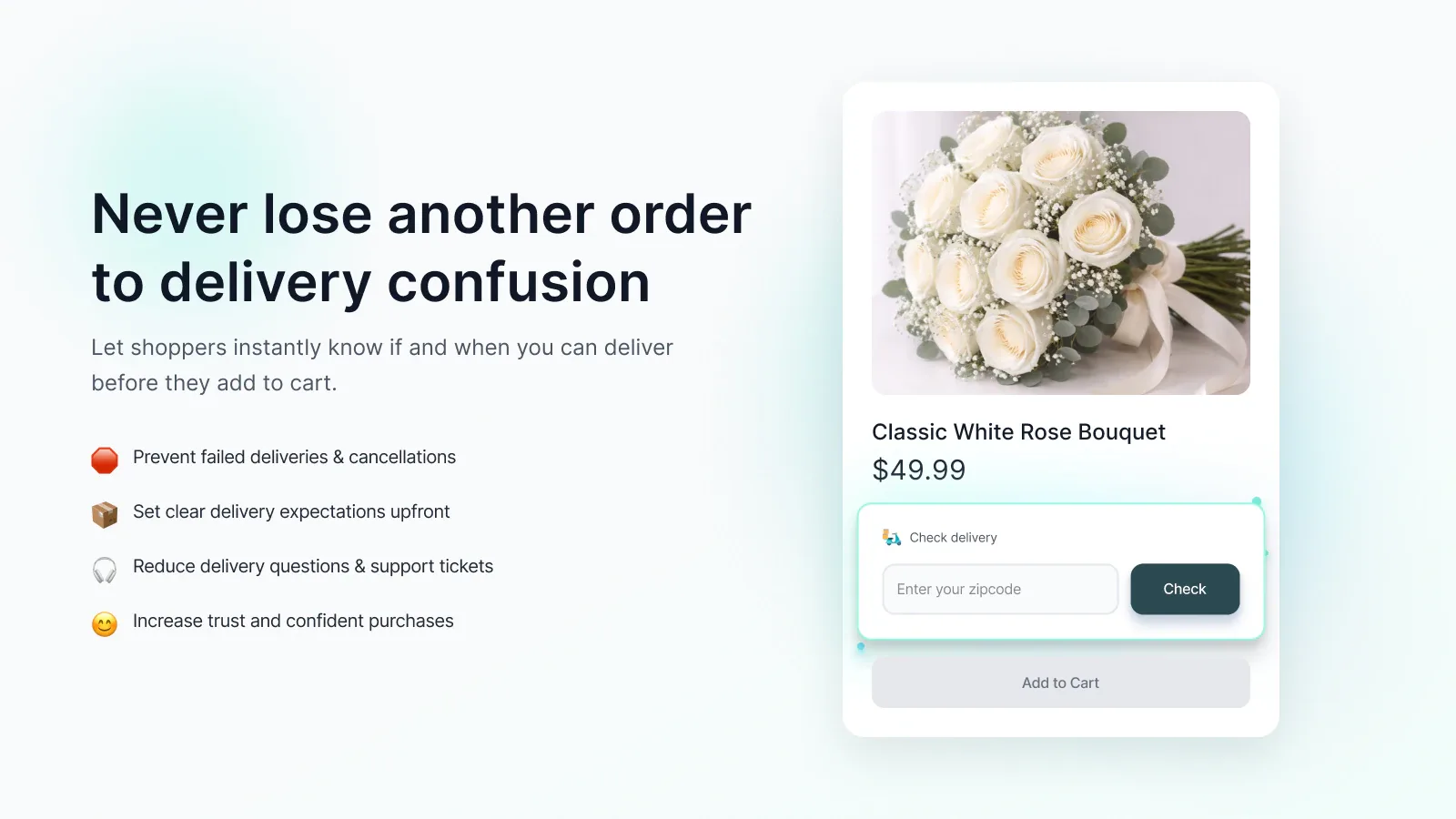
Use an embedded form or popup so shoppers can check availability while viewing a product.

Storefront delivery availability
Let shoppers check a ZIP code, postcode, postal code, or pincode on the product page. Configure availability rules, show delivery messages, and optionally restrict add to cart for unsupported codes.
See pricing and compatibility on the Shopify App Store. Read the short setup guide →
The job it handles
Zipprover places an availability check beside the product decision. Merchants control the location rules, product scope, storefront presentation, and the message shown for supported or unsupported codes.
Use an embedded form or popup so shoppers can check availability while viewing a product.
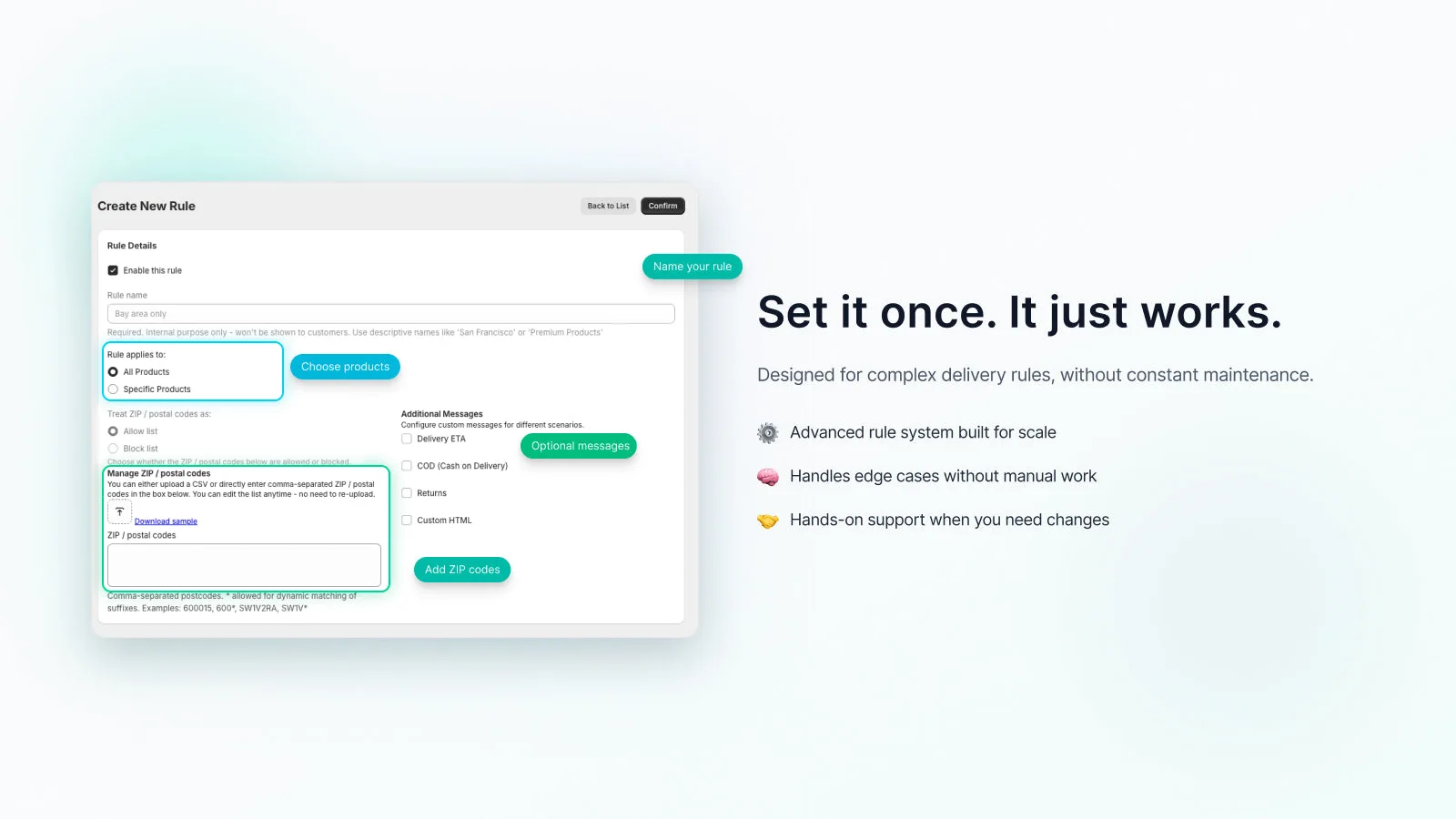
Enter codes directly or import a CSV, including trailing wildcards for broader ranges.
Apply a rule to all products or, where the plan supports it, selected products and collections.
Show static or calculated delivery timing, COD, returns, custom messages, or waitlist capture where available.
Product views
See how the app fits into the merchant workflow.
Features
The core tools for this workflow, in one focused app.
Create an allow or block rule and add the relevant location codes.
Apply the rule to all products or an eligible product or collection selection.
Choose popup or embedded placement and configure the shopper-facing message.
Enable the theme app embed and test at least one supported and unsupported code.
Fit and boundaries
Zipprover checks storefront eligibility from the rules you maintain. It is useful for communicating service areas before add to cart, not for calculating or changing Shopify shipping rates.
Merchant feedback
Feedback from a Shopify merchant using Zipprover.
“Really great support, they did not just help us to clear out the queries but also created a feature we wanted on our site.”
Questions, answered
Zipprover supports ZIP codes, postal codes, postcodes, and pincodes, including alphanumeric values. A trailing wildcard such as 600* or SW1V* can match a broader range.
Create and save at least one rule, then enable the Zipprover app embed in your published theme. The app dashboard links to the relevant Theme Editor area.
Yes. Design Settings lets you choose a popup or an embedded product-page form. The embedded form can appear above or below add to cart; a custom placement can require support.
Yes, on plans that include product and collection rules. Specific-product rules take priority over collection rules, and collection rules take priority over an all-products rule.
Yes. Upload a CSV or enter comma-separated codes directly. You can edit the imported list later without recreating the rule.
On eligible plans, Restrict + Information mode can block add to cart for an unsupported code. This does not hide or change Shopify shipping methods at checkout.
A rule can show static or calculated delivery timing plus COD, returns, or custom messages. Waitlist capture and some message types depend on the selected plan.
Yes. You can change labels, placeholders, button text, availability messages, colors, icons, and custom CSS from Design Settings.
Check the app embed, rule status, product selection, and saved codes first. Custom themes and non-standard product forms can require a placement adjustment from ShopSappers support.
Zipprover on Shopify
Visit the listing for pricing, plan details, compatibility, and installation.