


Required acknowledgement
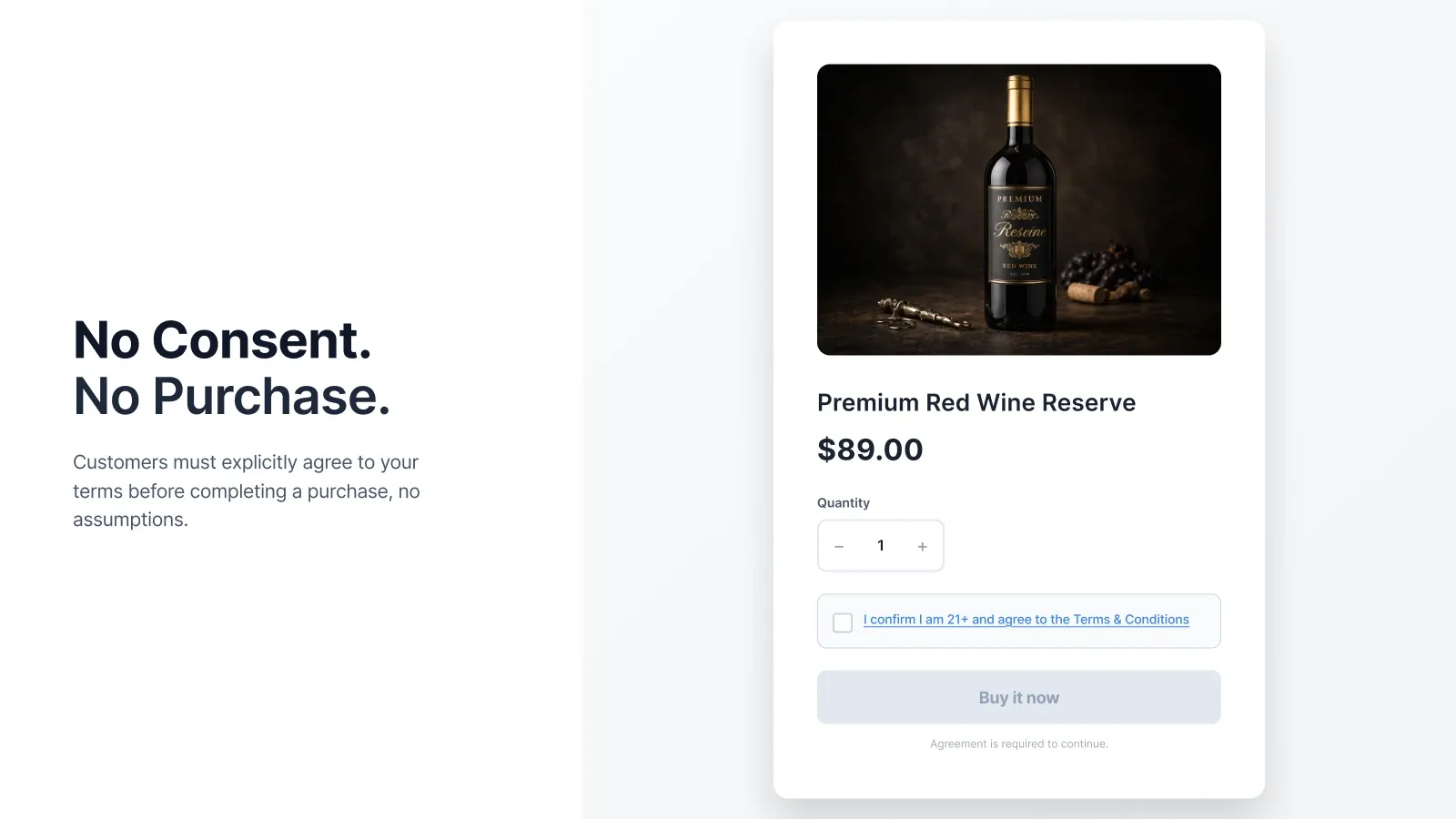
Block supported checkout actions until the shopper selects the agreement checkbox.

Storefront terms acceptance
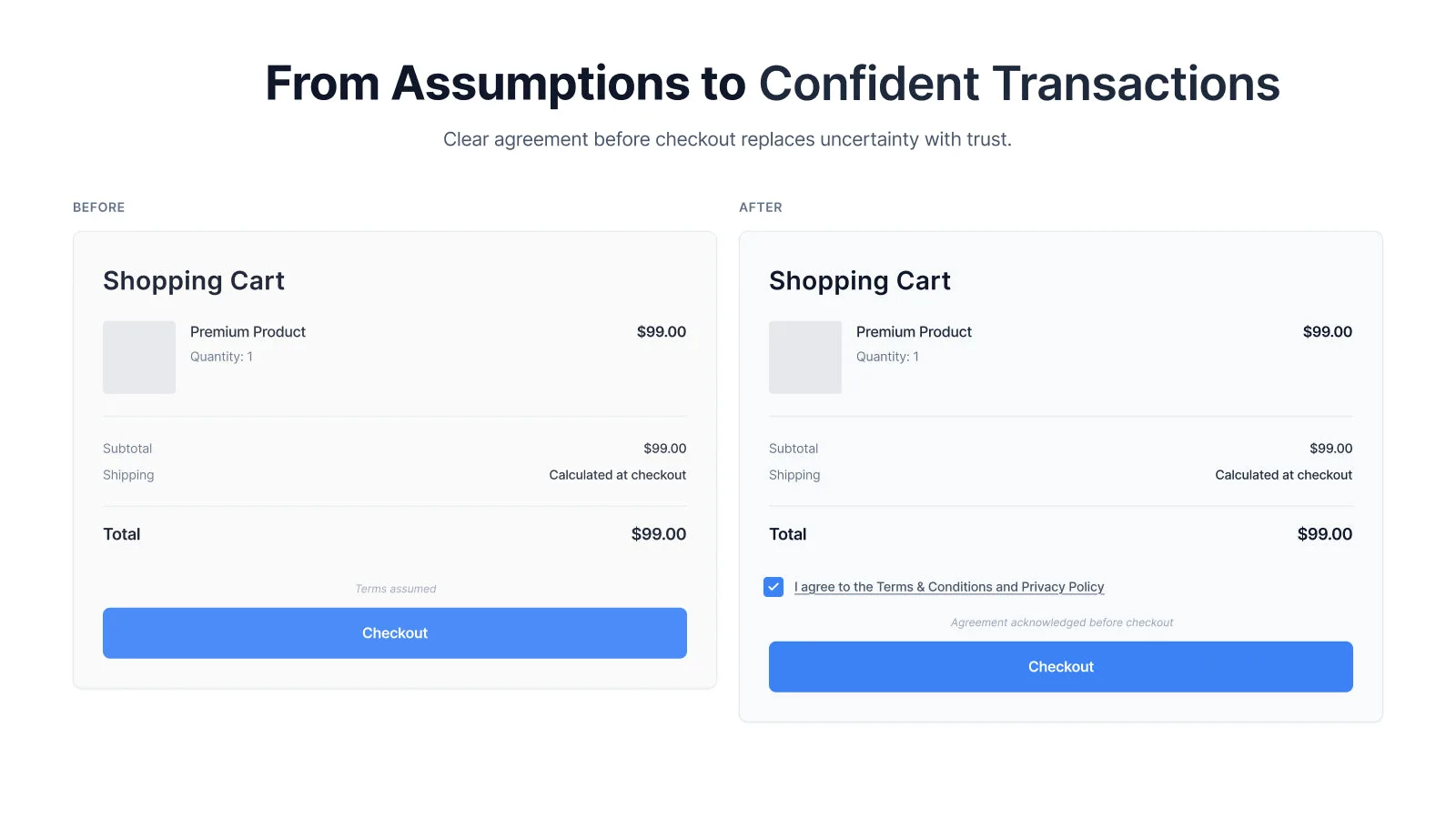
Place a required agreement on the cart or cart drawer, open policy text in a popup or new tab, protect supported product-page checkout buttons, and carry the acknowledgement into the order details.
See pricing and compatibility on the Shopify App Store. Read the short setup guide →
The job it handles
I Agree gives the shopper a clear action before supported storefront checkout paths. The merchant controls the label, policy destination, blocked-checkout message, presentation, and dynamic-button protection.
Block supported checkout actions until the shopper selects the agreement checkbox.
Show formatted policy content in a popup or open an existing policy page in a new tab.
Carry the acknowledgement and timestamp into Shopify order details for staff review.
Customize the label, blocked-checkout message, color, spacing, and custom CSS.
Product views
See how the app fits into the merchant workflow.
Features
The core tools for this workflow, in one focused app.
Prepare the policy or acknowledgement shoppers need to review.
Set the checkbox label, policy popup or link, message, and presentation.
Enable the I Agree theme app embed and dynamic checkout protection where needed.
Test the full cart, cart drawer, product-page buttons, and mobile storefront.
Fit and boundaries
I Agree adds an acknowledgement layer to the storefront. The app helps present and record the agreement you configure; it does not write policies or determine what is legally sufficient for a store or jurisdiction.
Merchant feedback
Feedback from a Shopify merchant using I Agree.
“They were incredibly kind, quick to respond, and efficiently fixed my Shopify terms and conditions checkbox issues!”
Questions, answered
Configure the agreement inside I Agree, enable the I Agree app embed in the published theme, and save. Then test the full cart, cart drawer, product-page buttons, and mobile storefront.
The standard setup adds the agreement before checkout on the cart page or cart drawer. Dynamic Checkout protection can also add the required step before supported product-page Buy It Now and accelerated checkout buttons.
Keep Dynamic Checkout protection enabled for supported product-page buttons. Custom carts, apps that redraw the cart, invoice links, and custom payment flows should still be tested because they can behave differently.
Yes. Add formatted policy content to the popup, or open an existing policy URL in a new tab. One agreement can refer to several relevant policy pages.
Yes. You can change the checkbox label, blocked-checkout message, popup behavior, link color, spacing, and custom CSS.
I Agree carries the acknowledgement and timestamp into Shopify order details so staff can review it later.
It works with many themes, but a cart drawer that is redrawn by the theme, an upsell app, or a bundle app can require a theme-specific adjustment from support.
Product-specific agreements are not part of the standard setup. Contact support with the products and desired purchase path so the requirement can be assessed honestly.
The checkbox is designed for storefront purchase paths before checkout. Invoice links and custom flows that go directly to checkout should be tested separately because they can bypass the cart.
No app can determine that by itself. Use wording and a consent process appropriate to your business and jurisdiction, and obtain professional advice when needed.
I Agree on Shopify
Visit the listing for pricing, plan details, compatibility, and installation.