

Company and location ownership
Set a default representative for a B2B company and a different primary representative for an individual location when needed.

Shopify B2B sales workflows
Assign Shopify B2B companies and locations to connected staff reps, attribute new orders and draft orders, and give reps and managers focused views of the work Scopo tracks.
See pricing and compatibility on the Shopify App Store. Read the short setup guide →
The job it handles
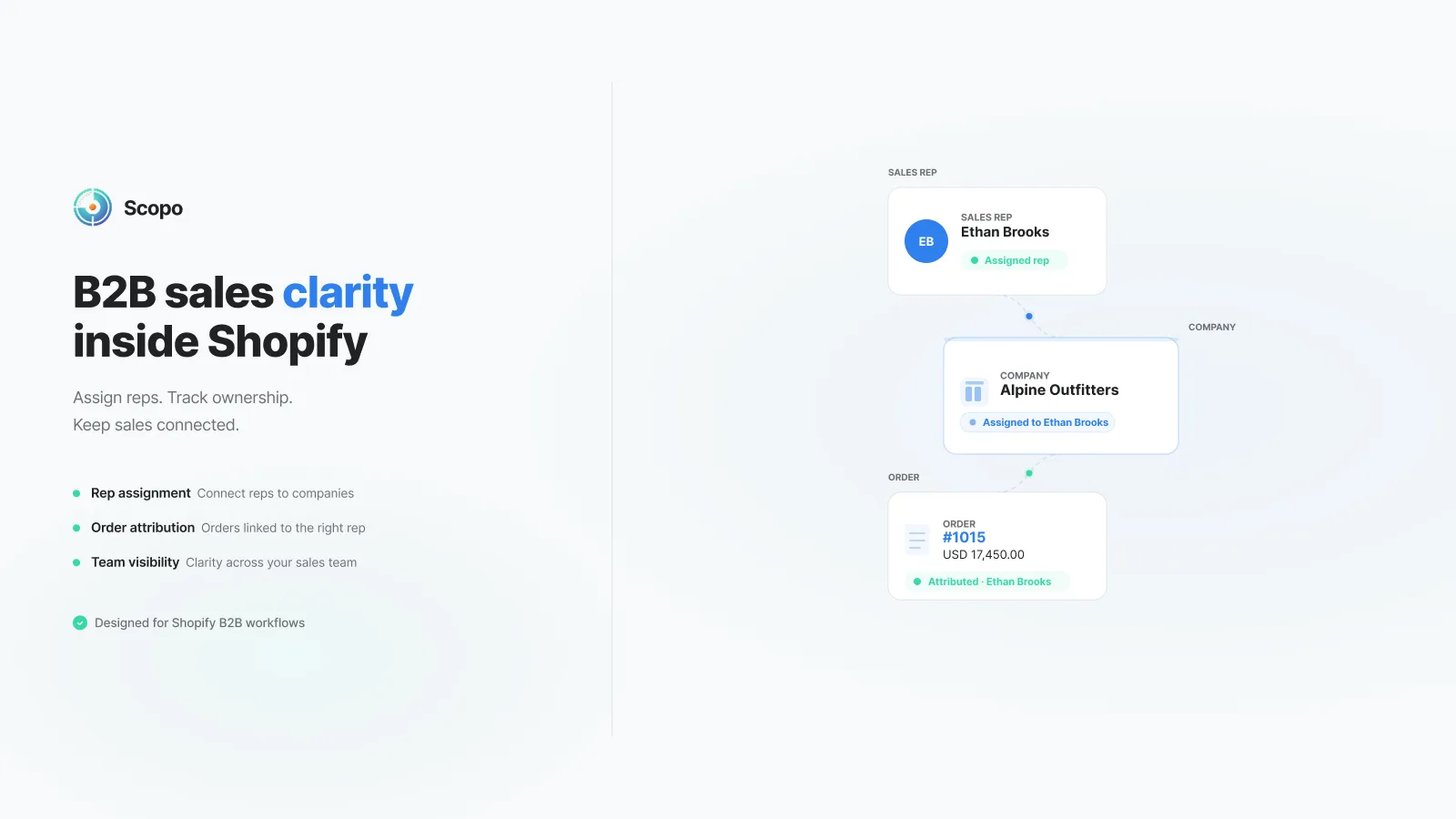
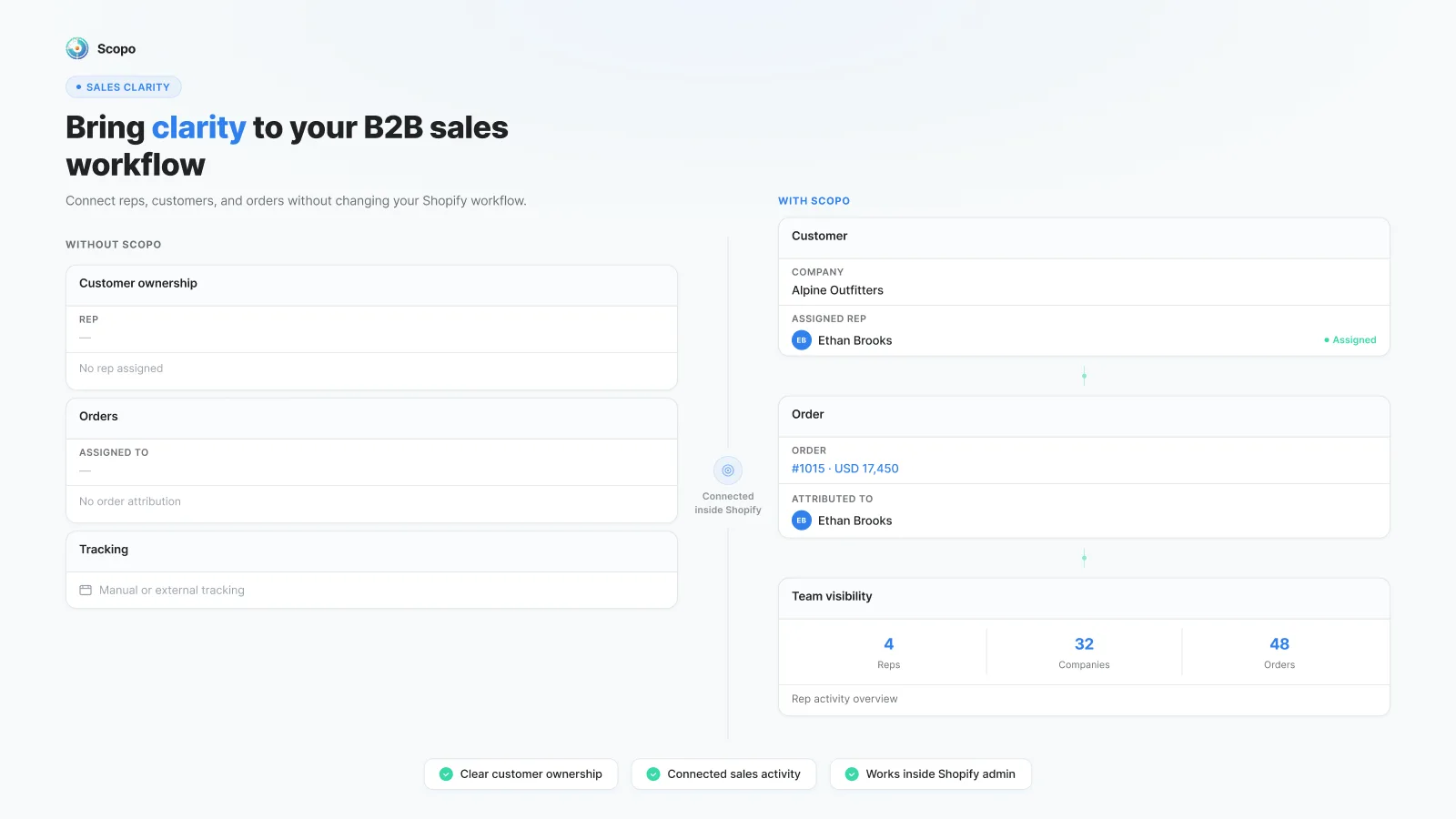
Shopify provides B2B company records, locations, staff roles, orders, and draft orders. Scopo adds a focused layer for rep assignment, order attribution, and day-to-day sales visibility around those records.
Set a default representative for a B2B company and a different primary representative for an individual location when needed.
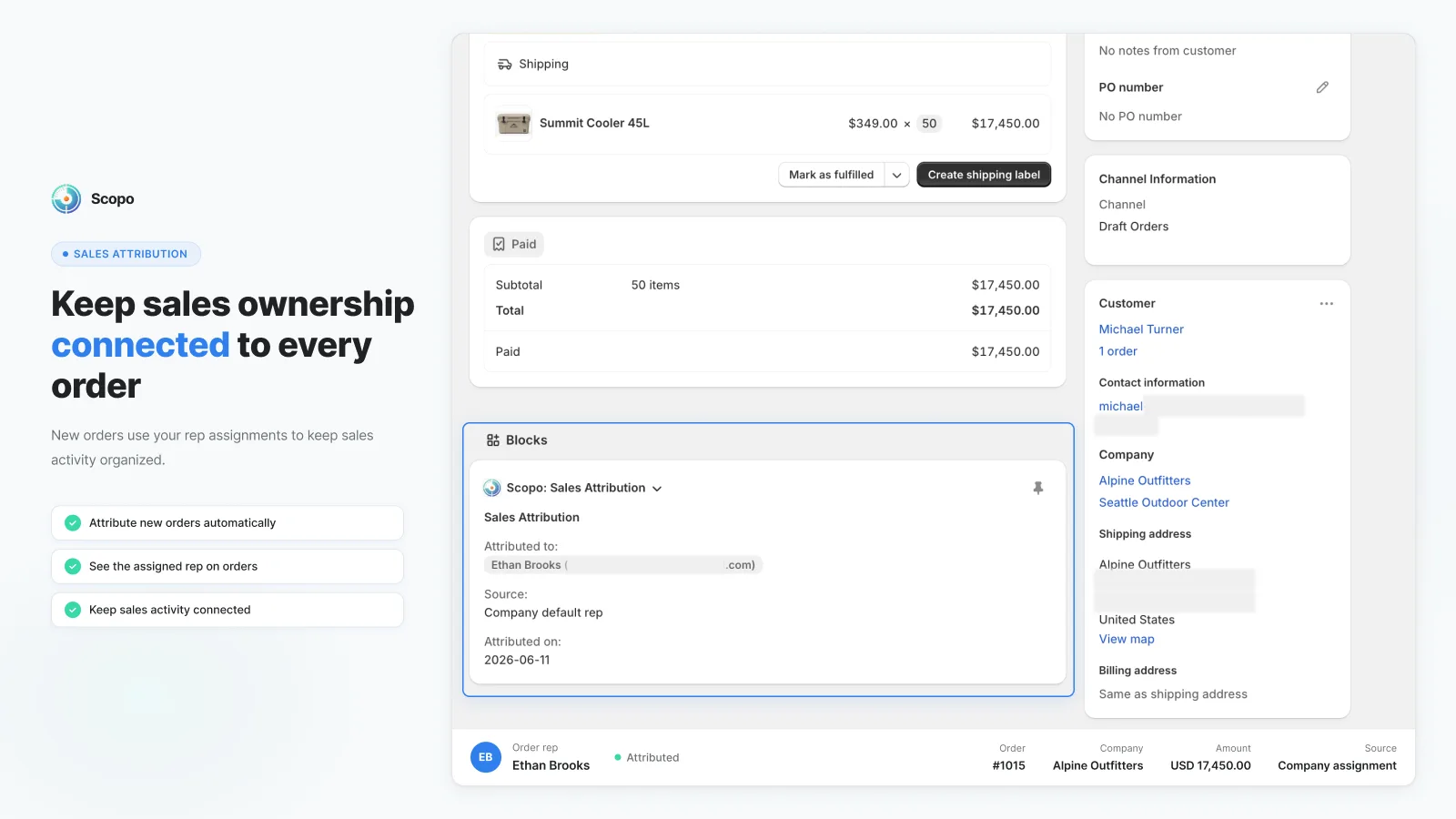
Attribute new orders and draft orders from the ownership available when each record is created.
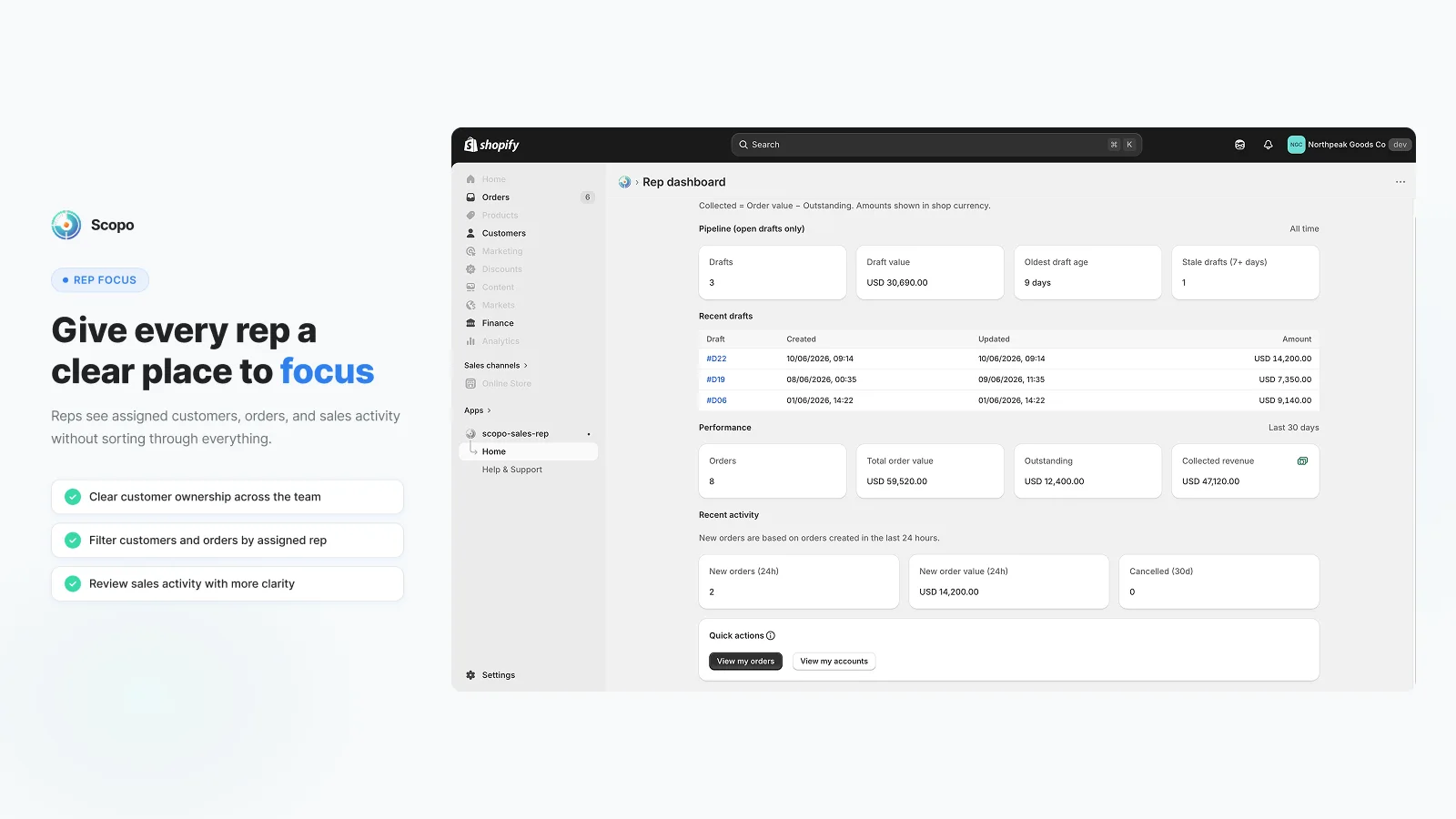
Let a connected staff representative review assigned accounts, open drafts, recent activity, orders, outstanding value, and collected revenue.
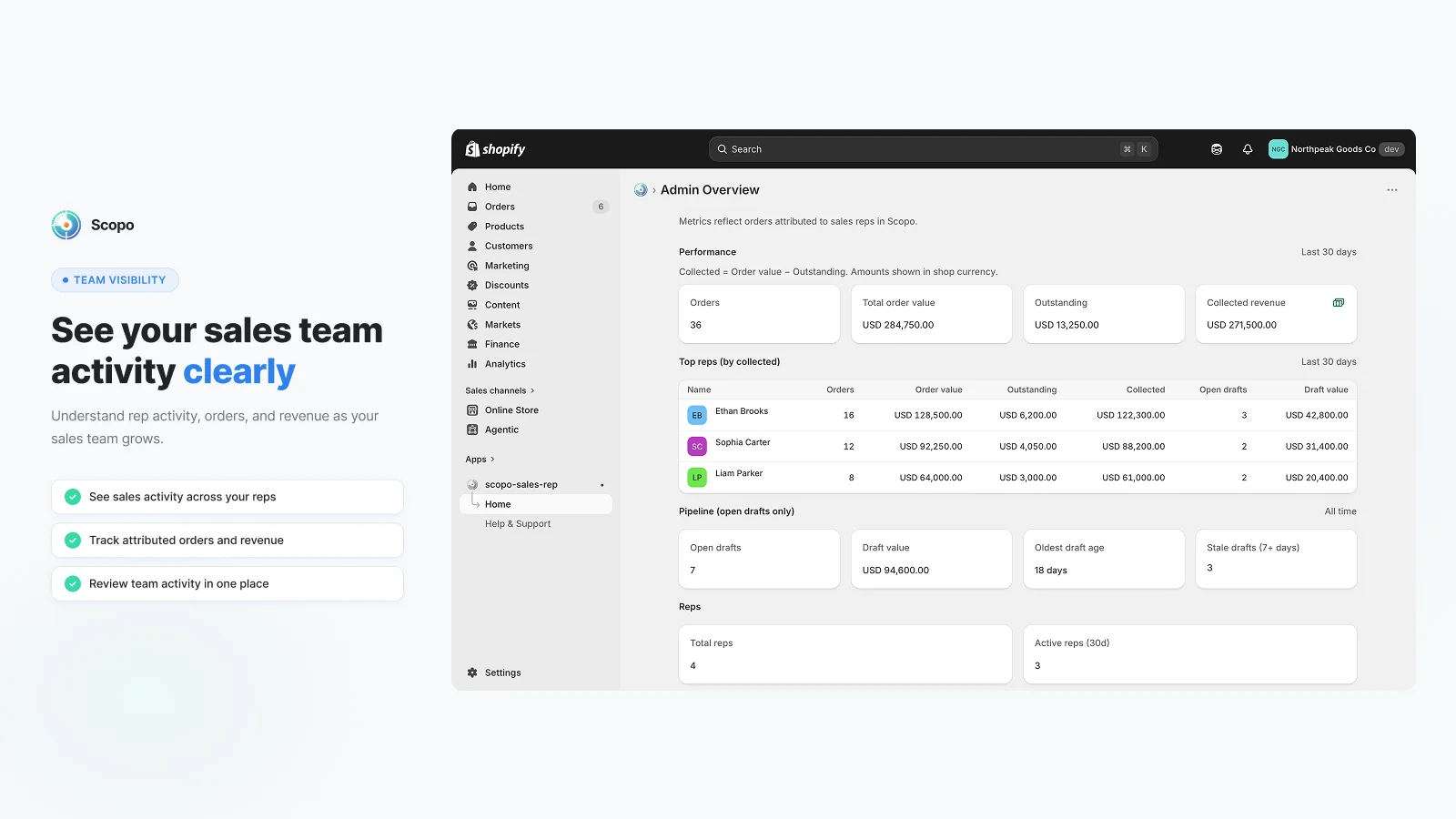
Review team-level orders, revenue, outstanding value, representative activity, and the open-draft pipeline.
Product views
See how the app fits into the merchant workflow.
Features
The core tools for this workflow, in one focused app.
Each sales representative opens Scopo once with their Shopify staff account.
The store owner assigns a company default or a location-level primary representative.
Scopo attributes new orders and draft orders from the ownership available at creation.
Representatives use their focused dashboard while the owner reviews the team overview.
Fit and boundaries
Scopo is intentionally focused on account ownership, attribution, and visibility around Shopify B2B companies and locations. It is a fit when that is the job your team needs to make clearer.
Workflow discovery
We are also interested in how Shopify B2B teams handle commissions, approvals, external representatives, and adjacent sales workflows. If one of these is slowing the team down, tell us how it works today.
Discuss the workflowQuestions, answered
Scopo is for Shopify B2B merchants that use Shopify staff accounts for sales representatives and need a focused way to manage company or location ownership, new-order attribution, and team visibility.
The representative opens Scopo once with their Shopify staff account. The store account owner can then select that connected staff member from the Scopo assignment block.
Open a Shopify B2B Company or Company Location and add the Scopo: Rep assignment block. A company can have a default representative, while an individual location can have its own primary representative.
The Company Location assignment takes priority over the Company default. For a draft order without either assignment, Scopo can use the connected draft creator as a fallback.
Yes. Scopo attributes new orders and draft orders when they are created, based on the ownership information available at that time.
No. Scopo preserves the attribution already stored on a sales record. Assignment changes apply to new orders and draft orders going forward, and historical records are not automatically backfilled.
The Rep Dashboard includes assigned accounts, open drafts, recent activity, orders, outstanding value, and collected revenue for the work connected to that representative.
Admin Overview provides team-level views of orders, revenue, outstanding value, representative performance, and the open-draft pipeline.
No. Commission calculation and payout are not current Scopo capabilities. If commissions are the main requirement, do not install Scopo on the assumption that it handles them.
Scopo on Shopify
Visit the listing for pricing, plan details, compatibility, and installation.